

Rosepetal — Network
Network configuration of Rosepetal deployments: local production, cloud training and remote support.
Our solution is designed for industrial environments where safety, OT/IT segmentation and continuous operation are essential.
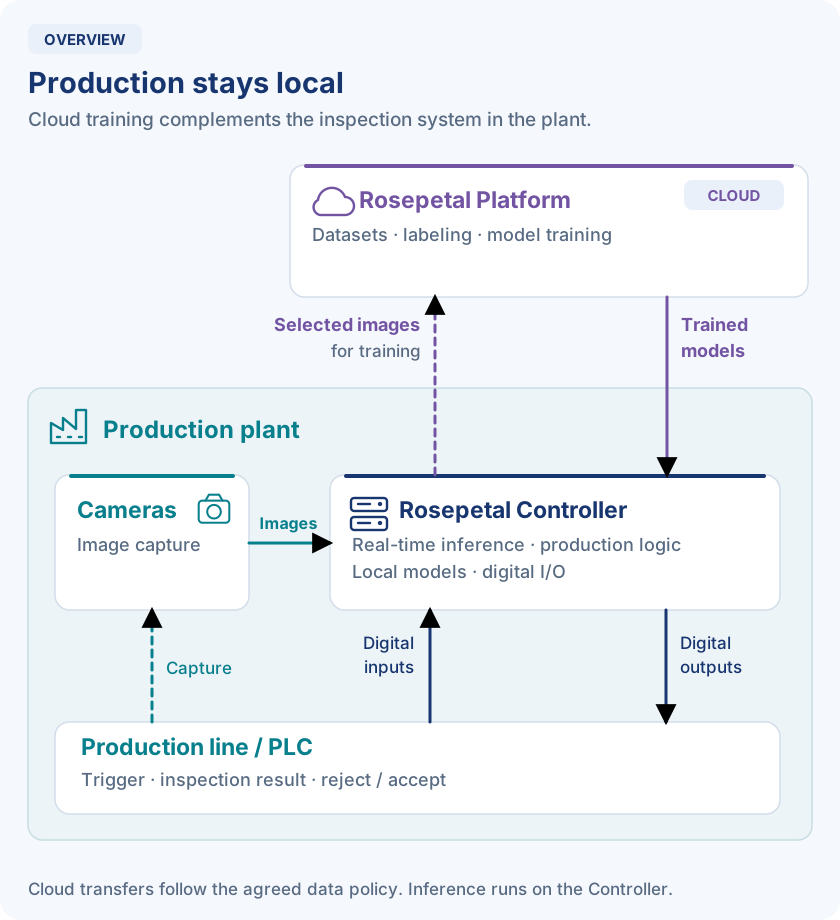
Production decisions stay in the plant. Selected images can be uploaded for training, and trained models are deployed to the Controller.
Three complementary blocks
- Rosepetal Controller (edge): runs image capture, real-time inference, production logic and digital I/O in the plant.
- Rosepetal Platform (cloud): manages datasets, labeling, model training and model analysis.
- Rosepetal Meta (hybrid): provides monitoring, auditing and operational management across deployments, including controller status, software versions and update orchestration.
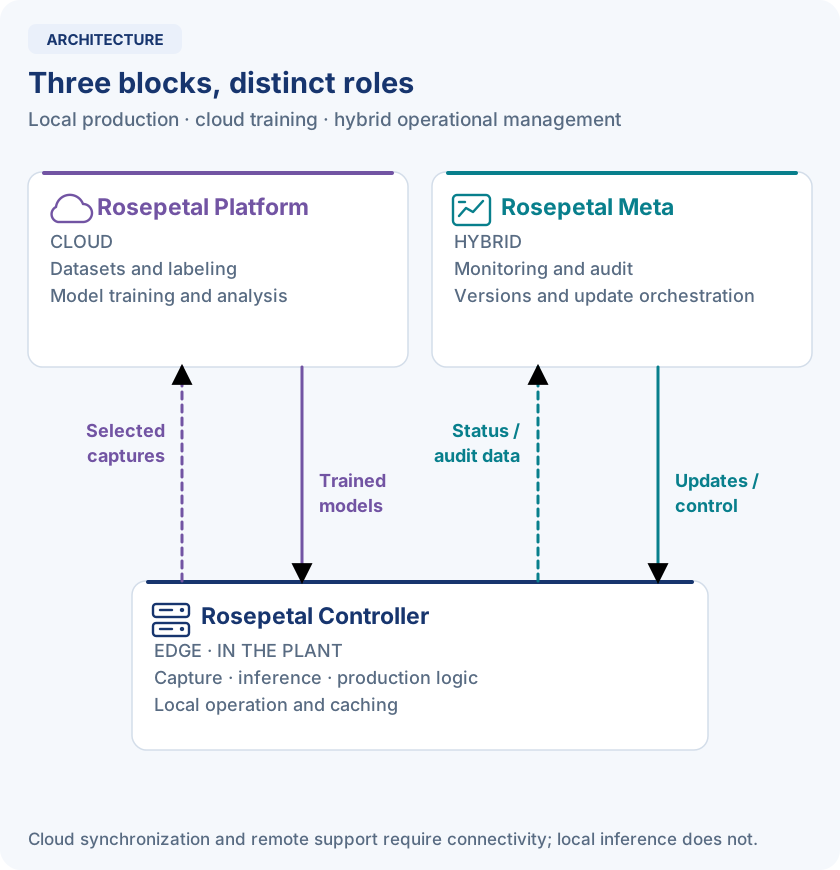
Under normal operation, captured images can remain on-site for real-time inference or be sent to Rosepetal Platform for storage and further training, according to the data policy agreed with the customer.
Production continuity
The Controller runs the deployed models and local decision logic without a constant cloud connection. Local caching supports degraded or offline operation; cloud synchronization and remote support require connectivity.
Contents
- Network setup with standard hardware — AIS rack equipment, standard, restricted and offline network scenarios, reference addressing and design criteria.
- IT configuration for remote access — Standard connectivity with Google Cloud (Rosepetal Platform and system updates), Cloudflare Tunnel (web), RustDesk (Panel PC) and Tailscale (Controller), alternative connections and firewall requirements.
Select any diagram to open it at full size.