

Find what slows a flow down
When results come late, the time goes somewhere: in the model, in the network, or in a node that keeps Node-RED busy so that every other flow waits too. Rosepetal's nodes report their times, and «rp-block-detect» watches Node-RED itself for anything that holds it up. In this guide you read the times of an inspection, find the node that blocks, and move its work out of the way with «worker-function».
What you will learn
- How to read the times the model reports, image by image
- How to notice a node that blocks Node-RED
- How to run heavy JavaScript without blocking it
Before you start
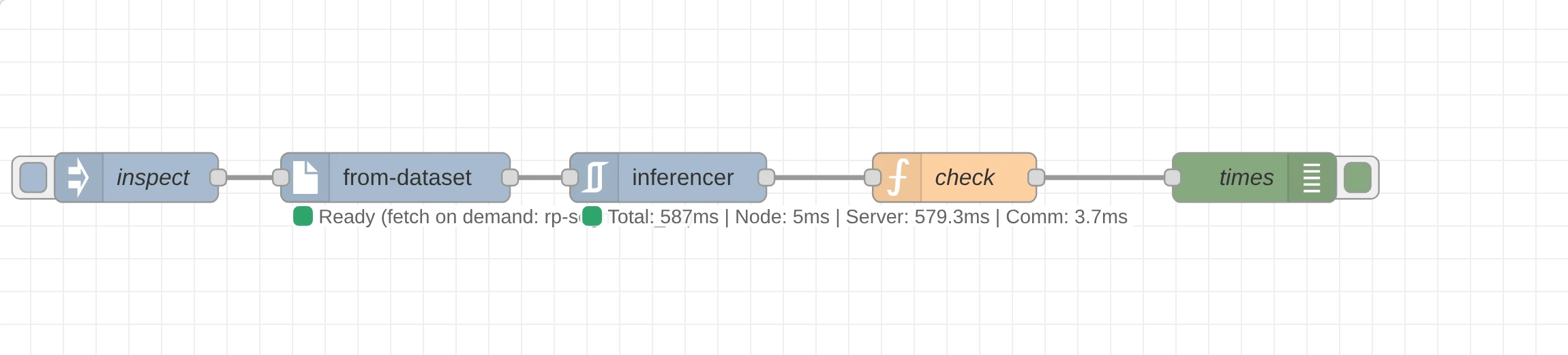
Here the «inspect» inject node brings a pack of biscuits from a dataset, the inferencer runs a segmentation model on it, and a function node, «check», does a long calculation in JavaScript; see Run a trained model on an image. The debug node «times» shows msg.performance.
1. Read the model's times
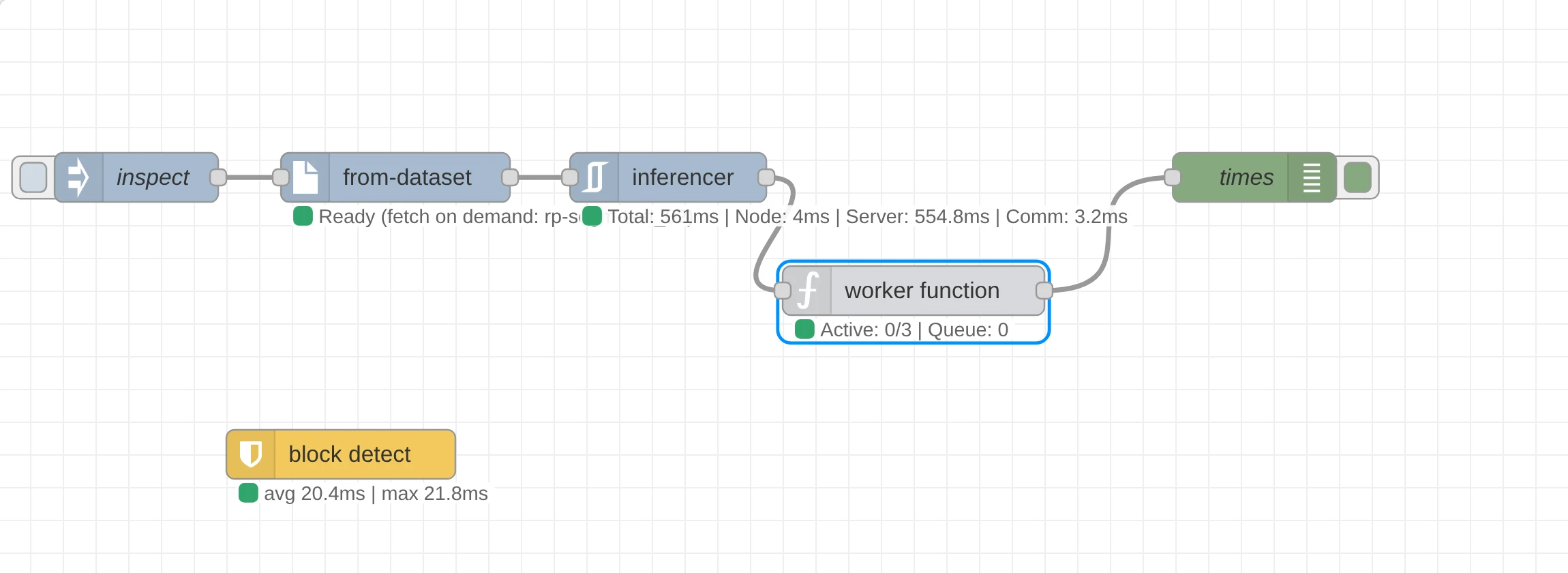
Press «inspect». Under the inferencer, the status splits the time of the last image: «Total», «Node» (preparing the image and the results in Node-RED), «Server» (the model itself, on the inference server) and «Comm» (sending the image there and back). A large «Comm» points at a large image; a large «Server», at a large model.
2. See every time of the message
Open the message in the debug panel. msg.performance holds an entry per Rosepetal node, with its start, its end and its milliseconds; the inferencer's also has the server's own breakdown (decoding, model, queue). Add them up and compare with the time between images: what is missing went to nodes that do not report, such as «check».

3. Watch Node-RED itself
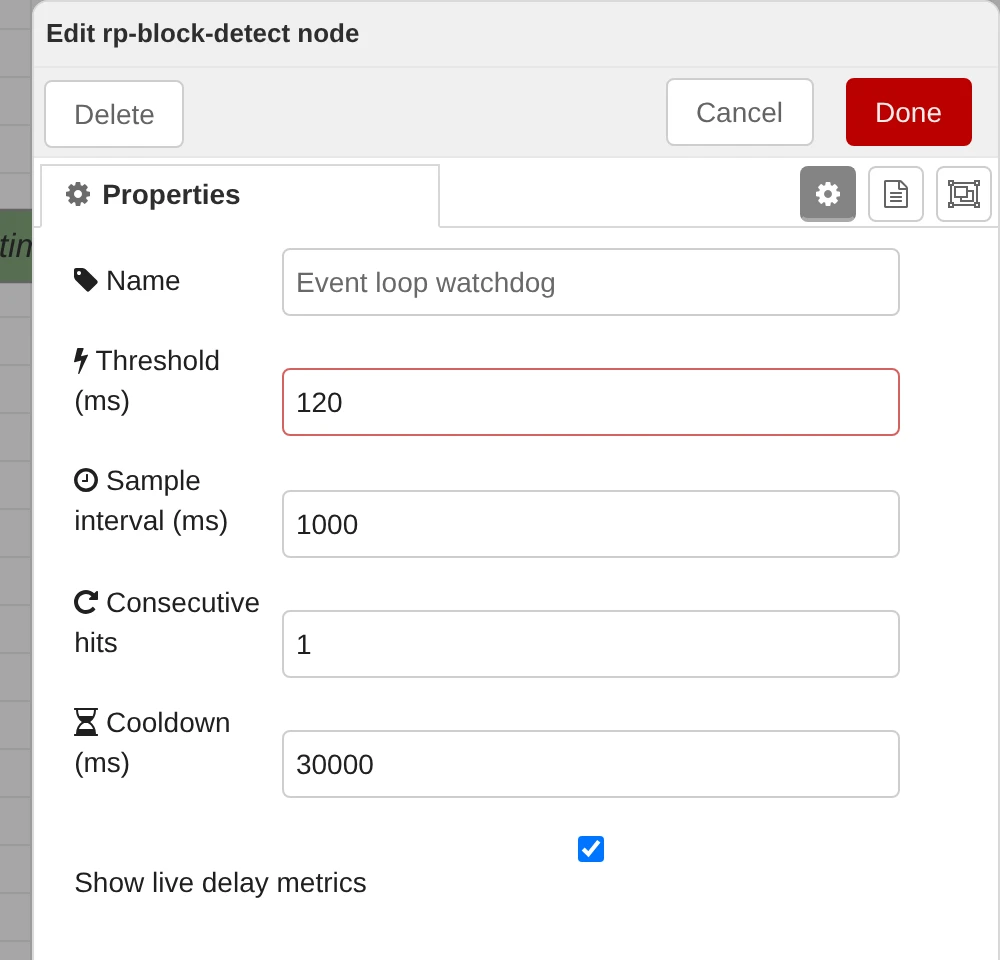
Node-RED runs every flow of the controller in one process, one thing at a time. A node that computes for long holds up all the others. Type rp-block-detect in «filter nodes» and drop the node anywhere on the tab: it needs no wires. Open it: it warns when Node-RED is held up for more than «Threshold (ms)», 120 by default, and with «Show live delay metrics» its status shows the current delays.
4. Find the node that blocks
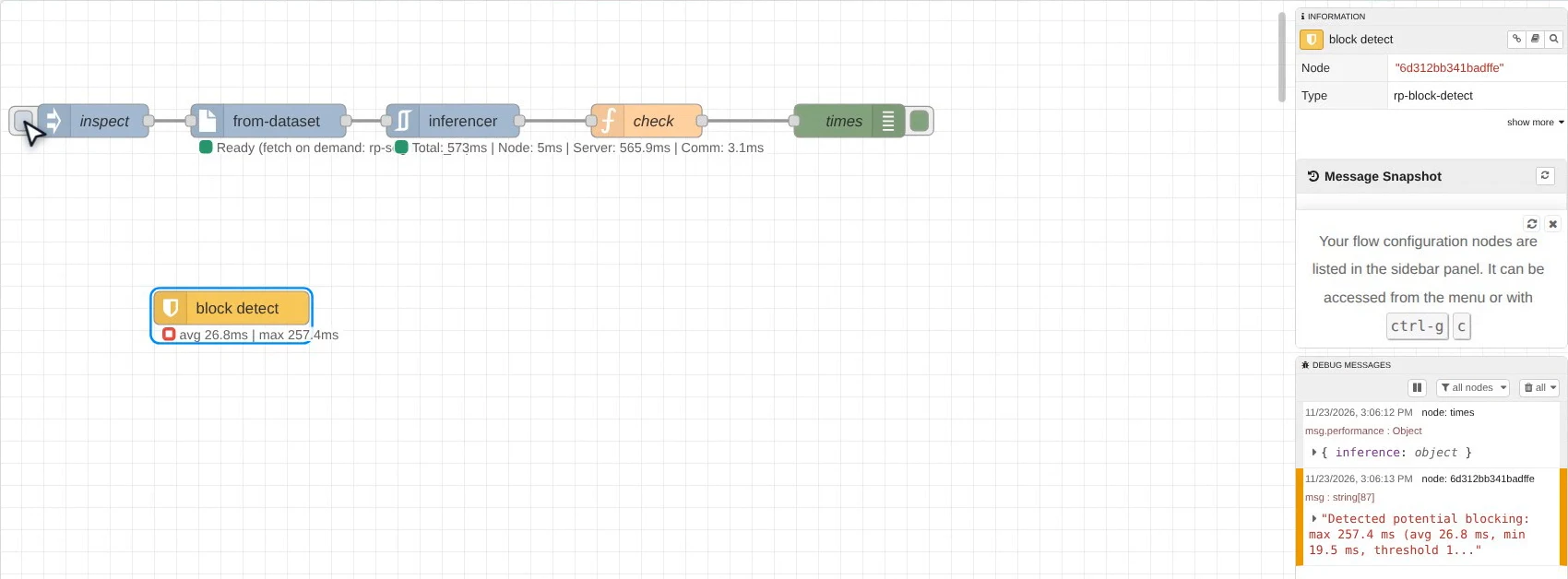
Click «Done», deploy and press «inspect». When the message reaches «check», Node-RED stops for a quarter of a second: the node's status and the debug panel warn of the block and how long it lasted. Nothing else ran meanwhile, not even the other flows of the controller.
5. Move the work to a worker
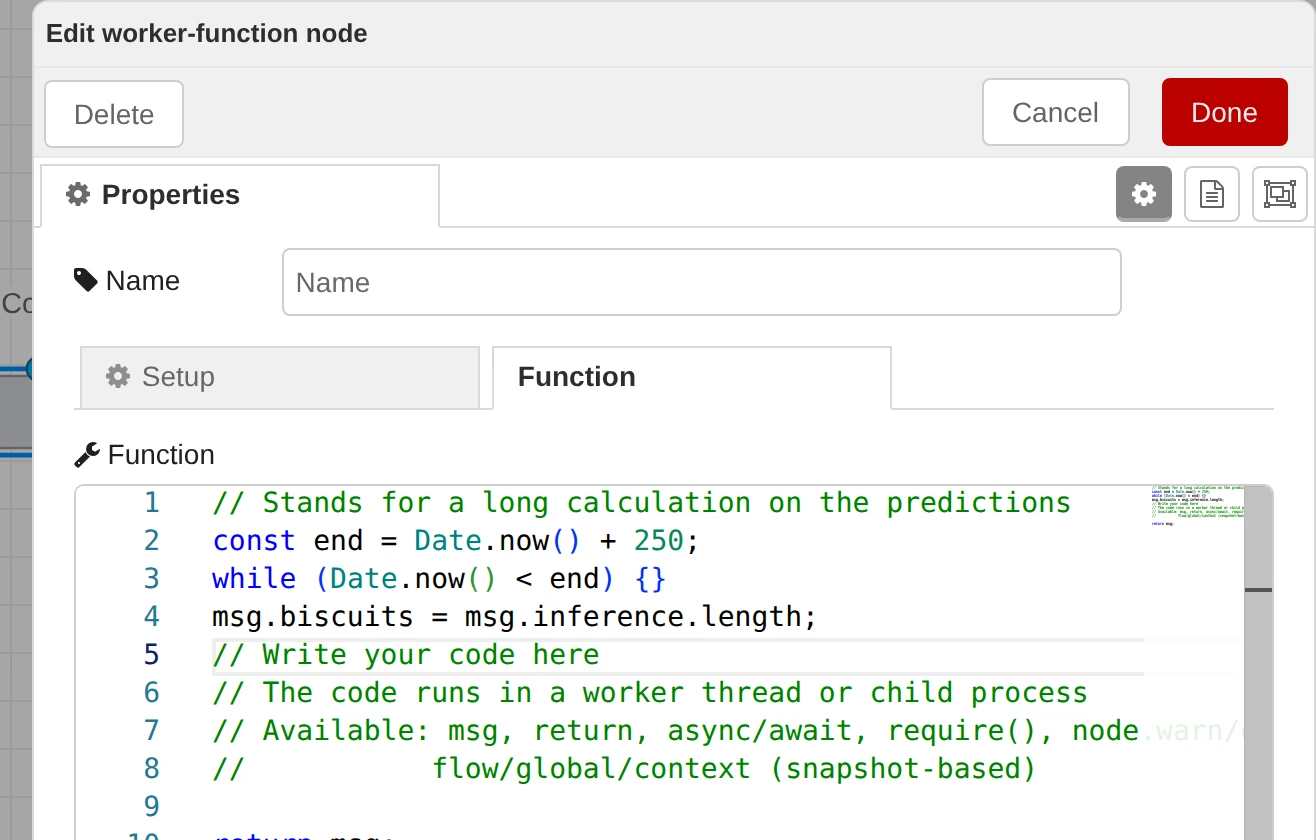
Add a worker-function node in place of «check»: wire the inferencer to it and it to «times», and delete «check». Open it and write the same code. It runs in a separate thread, and receives only the parts of the message its code names, here msg.inference, so Node-RED and the other flows carry on while it works; its status shows how many workers are busy and how many messages wait.
6. Check that nothing blocks
Click «Done», deploy and press «inspect». The image takes as long as before, but Node-RED is free meanwhile, and «rp-block-detect» stays quiet. Keep rp-block-detect in a flow while you develop it, and remove it once the flow is settled.
Good to know
- Time between images.
rp-rate-limitwrites the time between messages and its average over a few seconds; see Control the pace of a flow. If it is longer than the inspection, the camera or the trigger is the limit, not the flow. - The first image. A model that was not loaded takes seconds on its first image. See Keep models loaded and switch between them.
- Python too. The
python-executornode in hot mode also runs apart from Node-RED; see Run Python in a flow. - Name what the worker needs. A worker gets a copy of the message properties its code names. Code that hands it the whole message can fail with «Message sanitization failed» when the message carries something that cannot be copied; here, the message that comes from the dataset node.
- Debug nodes cost time. A debug node that shows a whole message with an image sends megabytes to the editor. Show only the fields you need, or use
rp-clean-debug; see Handle errors in a flow.
Next steps
Recorded on Rosepetal release 1.8.15, Node-RED 5.0.10.