

Speed up inference with Triton
The inferencer node runs your models on the controller's inference server. The «triton inferencer» node runs them on NVIDIA Triton instead, as TensorRT engines built for the controller's GPU: the same model and the same results, in less time per image. In this guide you run one model both ways on the same image and compare the times.
What you will learn
- How to run a model with the «triton inferencer» node
- Which models are ready for Triton and which are converted first
- What the precision setting changes
- How to compare the time per image, and when Triton is worth it
Before you start
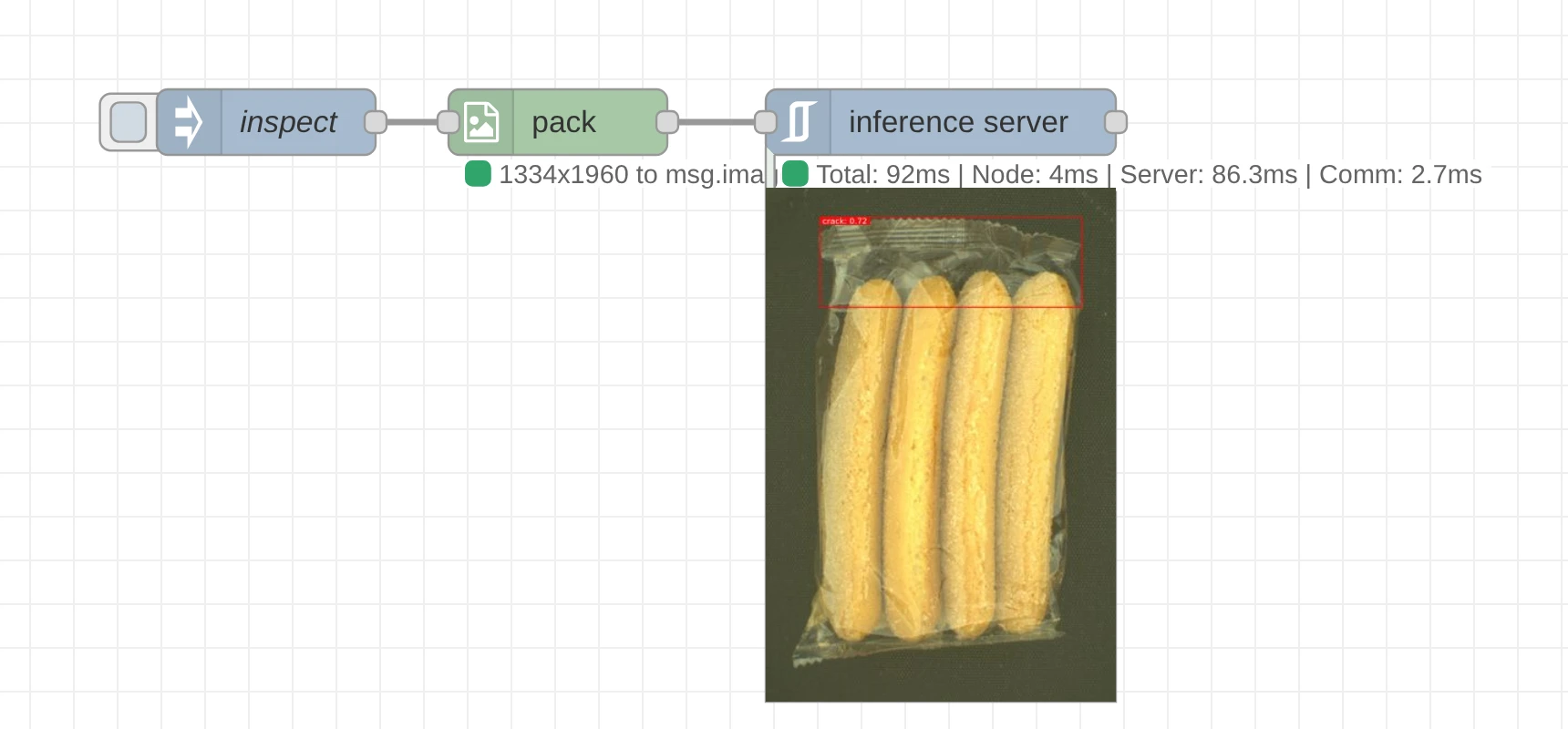
Here «inspect» loads a photo of a pack of biscuits from the controller's disk, /tmp/line-check/pack.jpg, with an rp-image-in node (see Load and transform an image), and an inferencer named «inference server» runs cookies_defect_od_v1 on it, a detection model that finds cracked biscuits (see Run a trained model on an image). The debug node «time» is waiting for the Triton node.
1. Time the inference server
Press «inspect». The inferencer finds the cracked biscuit and draws it on the image under the node. Its status gives the time of that image: «Total», split into «Node» (the work in Node-RED), «Server» (the inference server) and «Comm» (the trip between the two).
2. Add a Triton inferencer
Type triton in «filter nodes», drag the «triton inferencer» node after the inferencer and wire them together, then wire it to the debug node «time». The inferencer passes the image on untouched, so both nodes work on the same image, one after the other: they never share the GPU at the same moment, and each time is its own.

3. Choose the same model
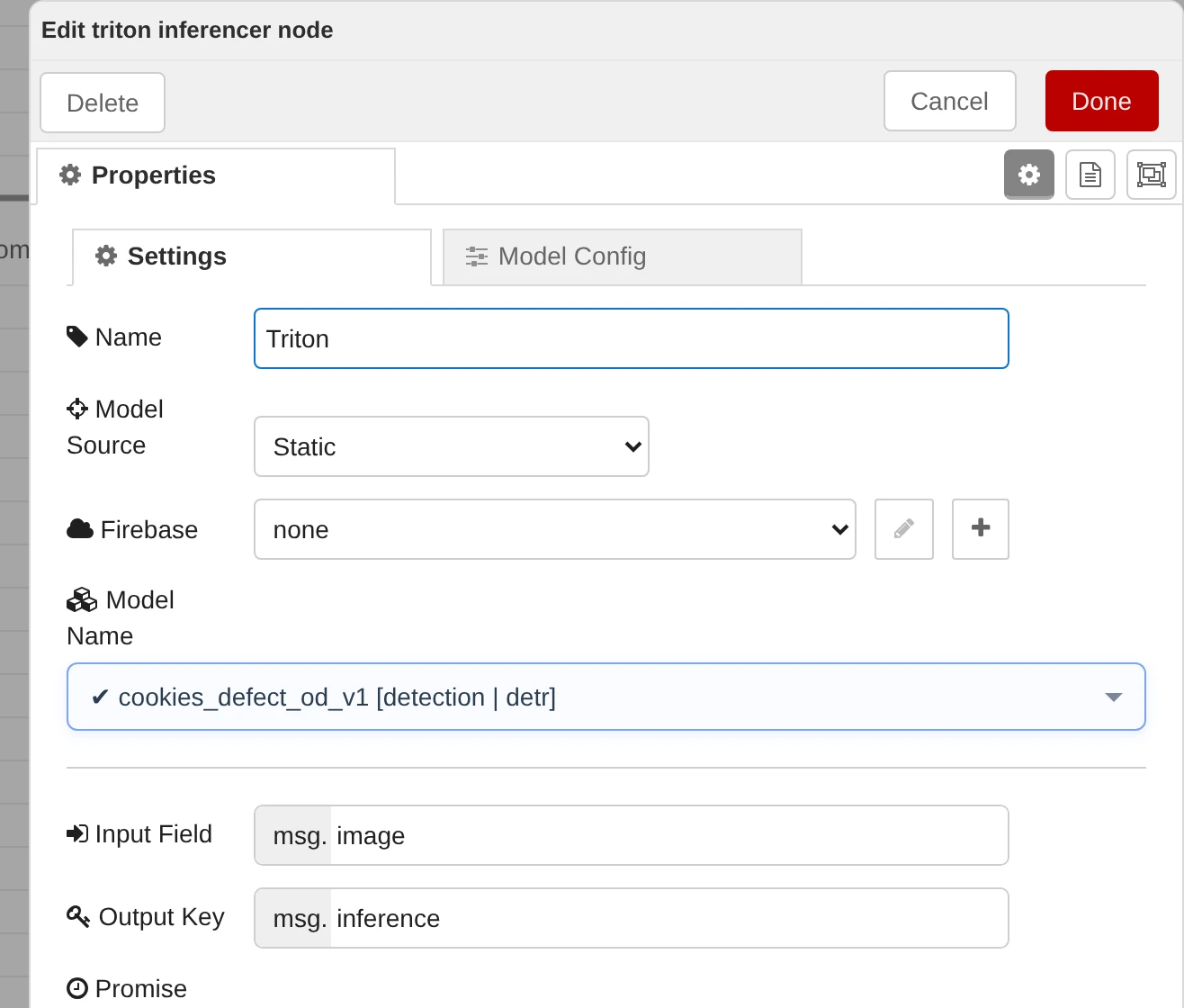
Double-click the node and name it Triton. Leave «Model Source» on «Static» and choose the model in «Model Name». The list has three groups:
- ✔ Local Models are already converted to TensorRT on this controller and load in seconds;
- ☁ Firebase Models are the models of your project with an ONNX export: the first deploy downloads one and converts it, which takes minutes, once;
- ★ Default Models are public models (YOLO, RF-DETR, PP-OCR), downloaded and converted the same way.
«Firebase» is only needed for the ☁ models of your project; a ✔ model runs without it. «Input Field» and «Output Key» work as in the inferencer: the image comes from msg.image and the results go to msg.inference, in the same format.
4. Draw its predictions too
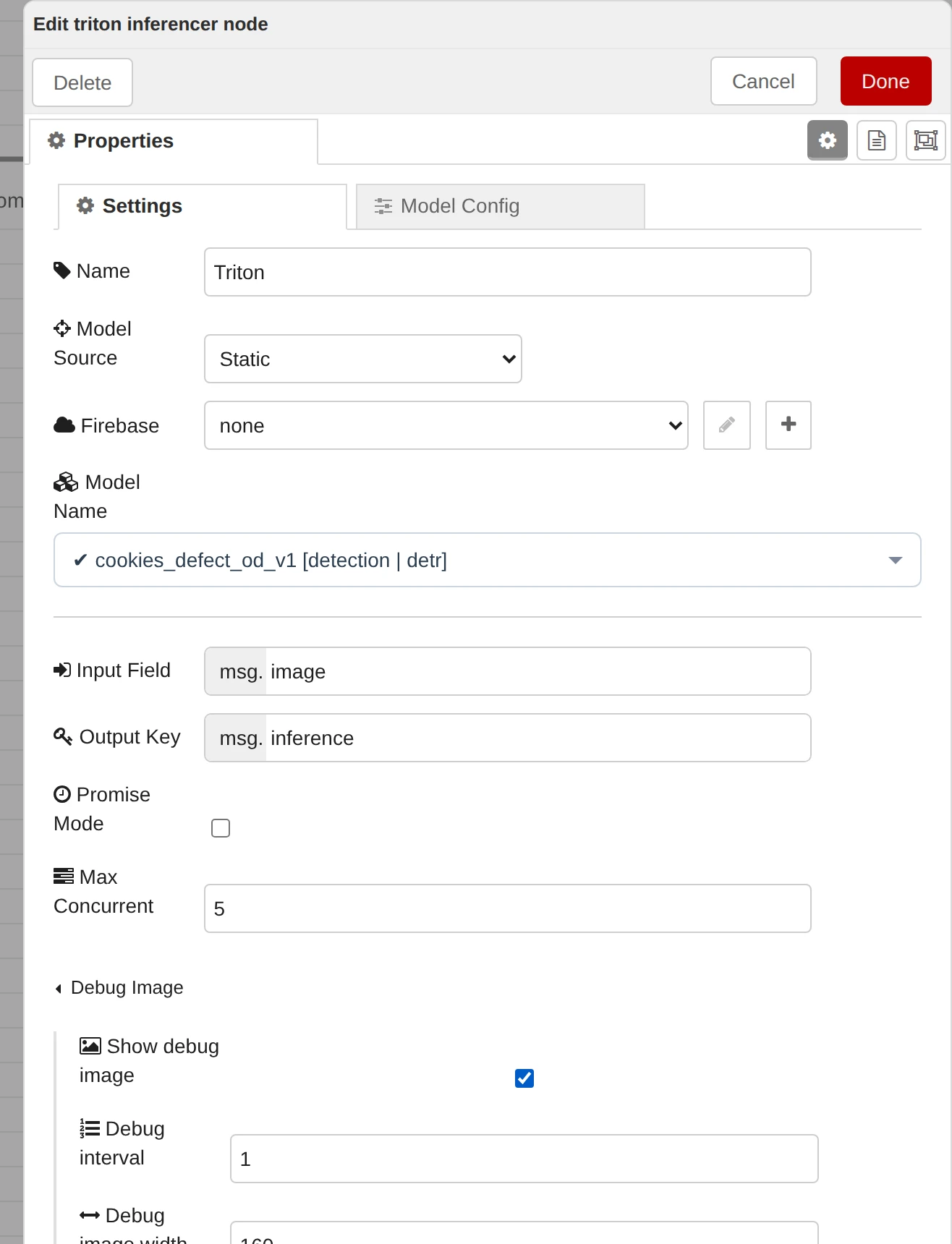
Open «Debug Image» and tick «Show debug image»: the node draws what it finds on the image under itself, like the inferencer next to it.
5. Check the precision
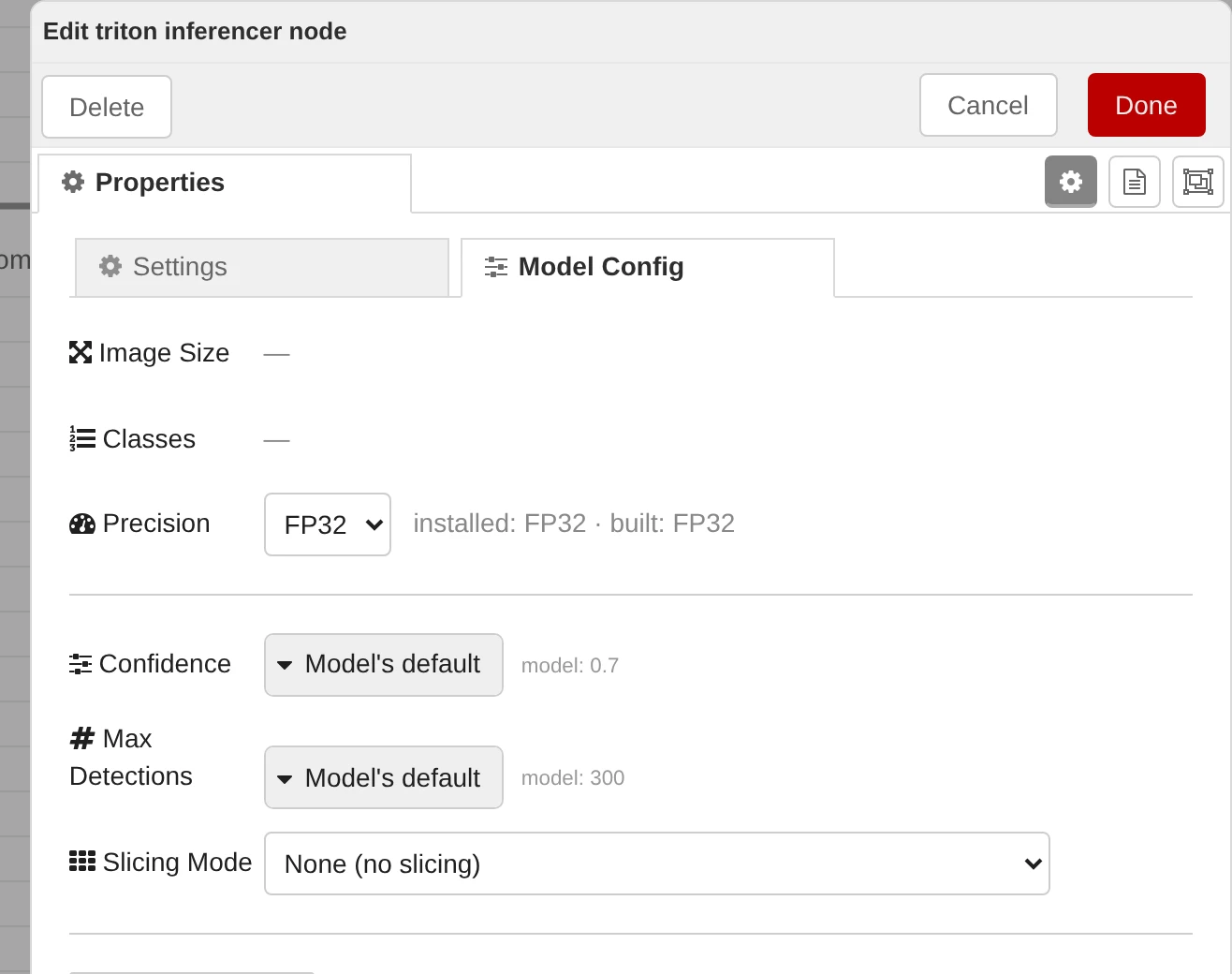
Open the «Model Config» tab. «Image Size» and «Classes» show the model's input size and its tags once Triton has loaded it. «Precision» is the arithmetic of the TensorRT engine: FP16 by default, usually two to four times faster than FP32 with the same results, and FP32, the reference for a model that misbehaves in FP16.
Beside it, the node says which engine the controller has: «installed: FP32 · built: FP32». Choose FP32 to use that engine as it is. Choosing a precision that has not been built makes the next deploy build it from the model, which takes minutes and holds the GPU meanwhile; every build is kept, so switching back later takes seconds. One engine serves every node that uses the model, so give them all the same precision.
6. Deploy
Click «Done» and «Deploy». The node says «Starting Triton...», the controller's Triton server loads the engine, and the node says «Ready» with the model's name. A model from Firebase goes through «Downloading», «Converting» and «Installing» first, the first time only. The inferencer restarts too, because the whole flow was deployed, but its model is still loaded on the inference server, so it is ready at once.
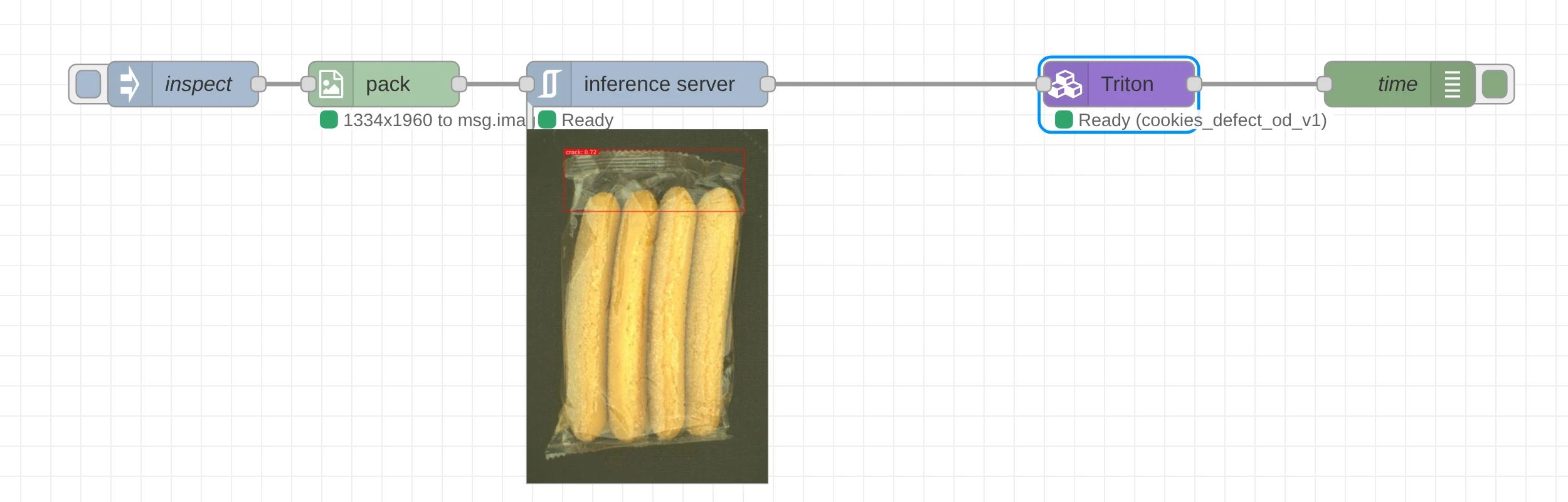
7. Compare the times
Press «inspect» a few times. Each image goes through both nodes: they find the same crack with the same confidence, and each status gives its own time. The first image after a deploy can be a little slower on either side; from the second on, the times settle.
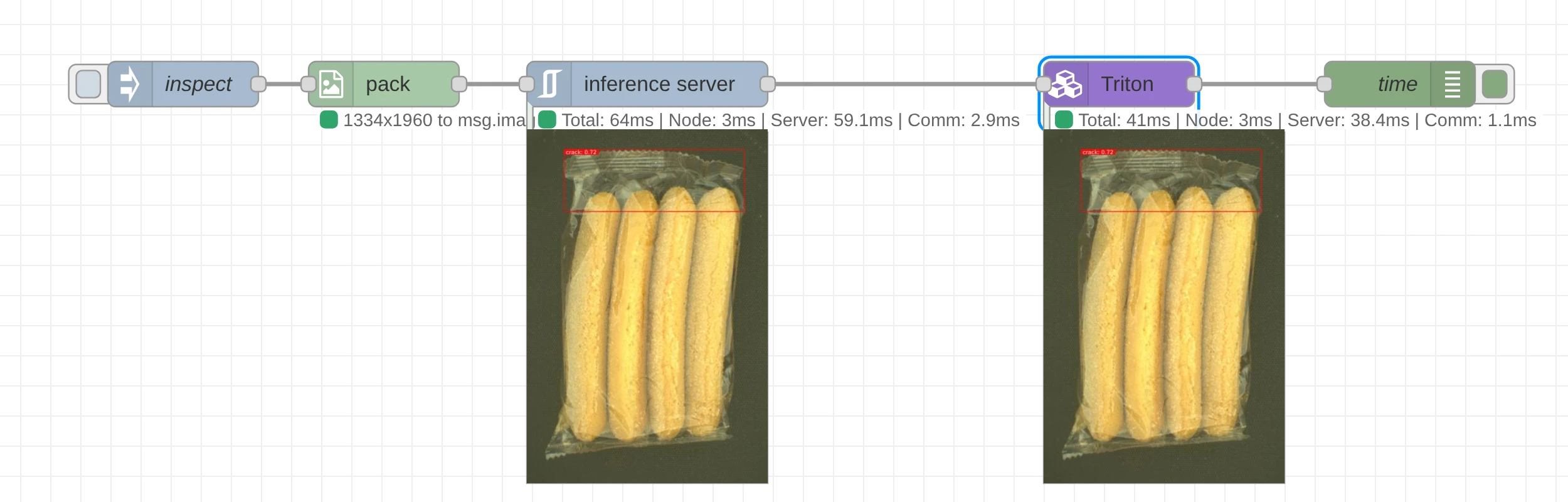
8. See where the time goes
Expand the last message of «time»: msg.performance.triton_inferencer.Triton holds how long the image took, in milliseconds.
serveris the time inside Triton:preprocess(resizing the image on the GPU),inference(the model) andpostprocess(turning its output into objects);nodeis the time in Node-RED: decoding the image, writing it to shared memory (shm), the trip to the server and back (grpcCommunication) and reading the answer;totalis the whole time, from the image arriving to the result leaving the node.
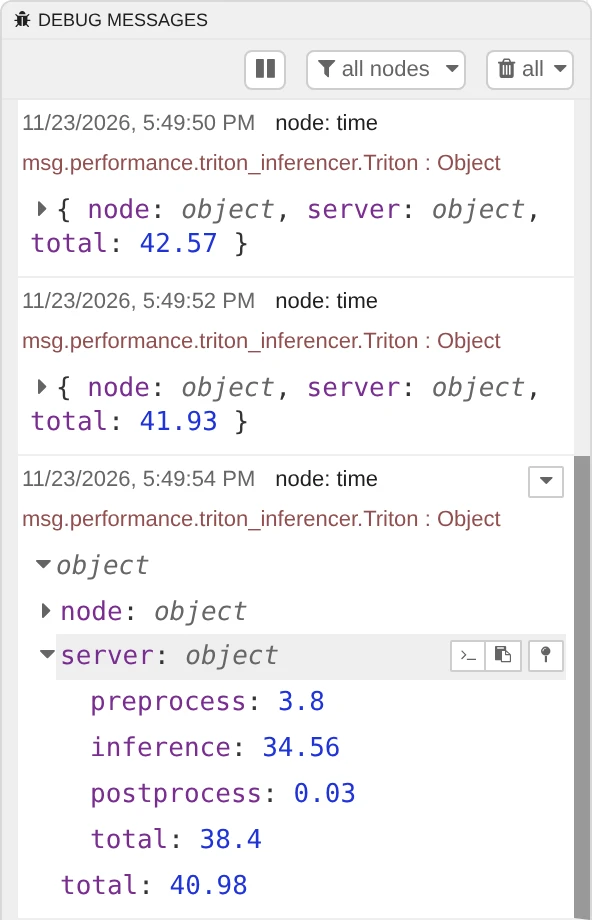
When Triton is worth it
On this controller, cookies_defect_od_v1 took about 64 ms per image on the inference server and about 42 ms on Triton, in FP32; in FP16 the gap is usually wider. Loading differs too: the engine was ready less than a second after the deploy, while the inference server took about seven seconds to load and warm up the same model the first time. Both servers share the controller's GPU.
- Use Triton on a line in production: many images per second, several cameras or nodes on the same model, a cycle time to keep. The engine is built once for that GPU and then every image is cheaper.
- Stay on the inferencer while you are still trying models: a new model from your project runs as soon as it is downloaded, while Triton also converts it, which takes minutes. Triton needs the model's ONNX export too; the models without one are not in its list.
The results have the same format in both nodes (tag, confidence, the boxes or outlines from 0 to 1), so the nodes after them do not change when you switch.
Good to know
- One server for every node. All the triton inferencer nodes of a controller share one Triton server, which starts with the first of them and stops when the last one is removed. «Restart Triton Server» in the node restarts it for all of them: never press it while a line runs.
- GPU memory. Triton keeps the models of its nodes loaded, also while no image arrives. Disable or delete the triton inferencer nodes you no longer use. A model manager with «Backend» set to «Triton» shows what the server holds, loads models in advance and frees them.
- Dynamic models. With «Model Source» set to «Dynamic», the node takes the model's name from the message (
msg.modelName) and loads it on the first image that names it, converting it first if it is not on the controller yet. - Max Concurrent. How many images the node sends to Triton at the same time, 5 by default. Raise it when several images arrive together, for example from several cameras.
Next steps
- Keep models loaded and switch between them
- Run a trained model on an image
- Find what slows a flow down
Recorded on Rosepetal release 1.8.15, Node-RED 5.0.10.