

Array-Select Node
Purpose & Use Cases
The array-select node provides powerful array element selection with Python-like slicing syntax. It extracts specific elements, ranges, or patterns from arrays, making it essential for filtering and selecting processed results.
Real-World Applications:
- Result Filtering: Select best results from batch processing operations
- Data Sampling: Extract samples from large datasets for analysis
- Quality Control: Pick specific items that passed validation
- A/B Testing: Select specific variants for comparison
- Image Gallery Creation: Choose specific images from collections
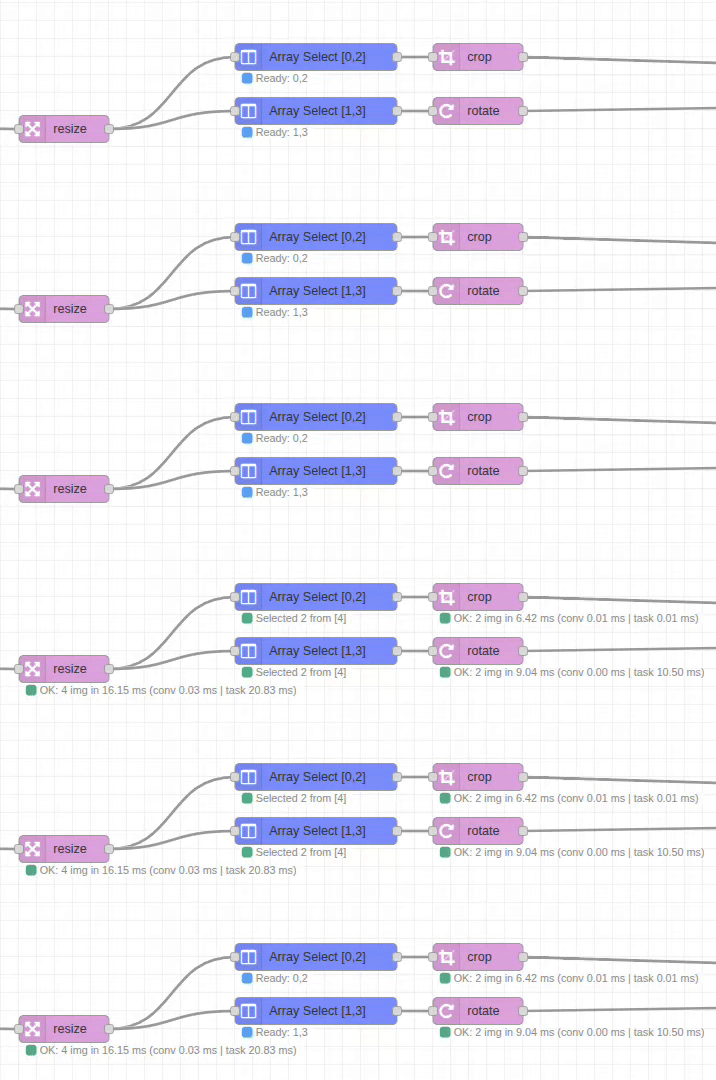
Input/Output Specification
Inputs
- Array Data: Input array from the configured path
- Selection String: Pattern specifying which elements to extract
Outputs
One output. The node sends a new message that holds only the selection, written to Output to (msg.payload by default). Other properties of the incoming message (topic, meta, ...) are not copied. With flow or global as Output to, the selection goes to the context and the message sent carries nothing else.
- Single Element: Direct element output (unless Force Array enabled)
- Multiple Elements: Always output as array
- Invalid Selection: No message sent, warning logged
Configuration Options
Input From
- Default:
msg.payload - Options:
msg.*- Read from message propertyflow.*- Read from flow contextglobal.*- Read from global context
- Validation: Input must be a non-empty array
Output To
- Default:
msg.payload - Options:
msg.*,flow.*orglobal.* - Purpose: Where the selected element or elements are written
Selection Pattern
- Editor label: Selection
- Type: String with flexible syntax
- Default:
0 - Formats:
- Single Index:
0,2,-1 - Multiple Indices:
1,3,5(comma-separated) - Range:
1:4(slice from index 1 to 3) - Step Pattern:
0::2(every 2nd element) - Negative Indexing:
-1(last),-2:(last two)
- Single Index:
- Differences from Python: an empty or
0end means "to the end" (2:0is the same as2:), a step that is empty,0or negative is1(no reverse order), and commas and colons cannot be combined (0,2:4reads indices0and2)
Force Array
- Type: Boolean checkbox
- Default: false
- Behavior: When enabled, single elements output as arrays. Without it, a selection that keeps only one element (for example
1,7on a five-element array) is sent as that element, not as an array - Use Case: Ensure consistent array output format
Performance Notes
Selection Efficiency
- Minimal Memory Copy: The output holds references to the selected elements; they are not copied
Status Display
- Blue dot
Ready: 0,2with the configured selection - Green dot
Selected 2 from [5]after a message; back toReadyafter 2 seconds - Red ring
Invalid input: not an array,Invalid selectionorError - Yellow ring
Empty array
Error Handling
- Input Validation: The input must be a non-empty array
- Out-of-range Indices: In a comma list they are skipped without a warning; a single index out of range is an invalid selection
- No Message: An input that is not an array, an empty array and a selection that matches nothing each log a warning and send nothing (see below)
Selection Syntax Guide
Basic Selection
Array: ["A", "B", "C", "D", "E"]

0      → "A"         // First element
-1     → "E"         // Last element
1,3 → ["B", "D"] // Multiple specific indicesRange Selection
Array: ["A", "B", "C", "D", "E"]

1:4    → ["B", "C", "D"]  // Range from 1 to 3
0:3    → ["A", "B", "C"]  // First three elements
-2: → ["D", "E"] // Last two elementsStep Patterns
Array: ["A", "B", "C", "D", "E", "F"]

0::2   → ["A", "C", "E"]     // Every 2nd starting at 0
1::2   → ["B", "D", "F"]     // Every 2nd starting at 1
1:5:2 → ["B", "D"] // Range 1-4, every 2ndAdvanced Patterns
Array: [0, 1, 2, 3, 4, 5, 6, 7, 8, 9]

::3     → [0, 3, 6, 9]       // Every 3rd element
2:8:2   → [2, 4, 6]          // Range 2-7, step 2
-3:     → [7, 8, 9]          // Last 3 elements
:-3 → [0, 1, 2, 3, 4, 5, 6] // All but last 3Real-World Examples
Best Result Selection
[Batch Process] → [Array-Out] → [Array-Select: "0,2,4"] → [Top Results]Select 1st, 3rd, and 5th results from batch processing.
Quality Control Sampling
[Production Line] → [Array-Out] → [Array-Select: "::10"] → [Quality Check]Sample every 10th item for quality inspection.
Image Gallery Creation
[Image Array] → [Array-Select: "1:6"] → [Display Gallery]Select images 2-6 for gallery display.
A/B Test Splitting
[User Array] → [Array-Select: "0::2"] → [Group A]
→ [Array-Select: "1::2"] → [Group B]Split users into alternating test groups.
Last N Results
[Processing Queue] → [Array-Out] → [Array-Select: "-5:"] → [Recent Results]Get the last 5 processed items.
Common Issues & Troubleshooting
Invalid Input Type
- Issue: Input is not an array
- Result: Warning
Input must be an array. Received: object(with the type received), message not sent - Solution: Verify input is array type, use array-out to create arrays
Empty Input Array
- Issue: Input is
[] - Result: Warning
Input array is empty, message not sent
Out of Bounds Indices
- Issue: Selection indices exceed array length
- Result: Invalid indices ignored, partial results returned
- Example: Array length 5, selection "1,3,7" returns elements at indices 1,3 only
Empty Selection Results
- Issue: Selection pattern matches no elements
- Result: Warning
Invalid selection "7" for array of length 5, message not sent (an empty array is never sent) - Common Cause: Range beyond array bounds
Syntax Errors
- Issue: Invalid selection pattern syntax
- Result: Same warning as an empty selection, message not sent
- Solution: Verify pattern follows documented syntax