

Notification Overlay
The Notification Overlay widget shows a fullscreen modal notification that appears above all the dashboard content. It presents a customisable text message inside a centred box over a semi-transparent dark background.
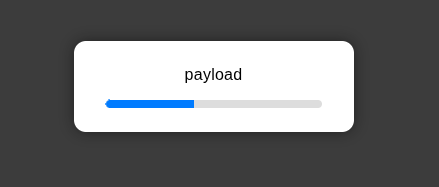
Optionally, the notification includes a progress bar indicating the time remaining before it closes automatically. Notifications update in real time: each received message closes the previous notification (if any) and shows the new one immediately.
Features
- Fullscreen overlay: modal notification covering the whole browser window.
- Customisable message: shows any text in the notification.
- Automatic close: closes on its own after a configurable timeout.
- Progress indicator: optional progress bar showing the remaining time.
- Real-time updates: receives messages through socket events and updates instantly.
- High z-index: ensures the overlay appears above all other content.
Configuration
| Property | Description | Default |
|---|---|---|
| Name | Node name shown in the editor. | "" |
| Group | Dashboard group where the widget is displayed. | — (required) |
| Size | Widget width and height (0 = fit automatically to the group). | 0 x 0 |
| Message | Name of the message property the displayed text is read from. | msg |
| Timeout | Timeout duration in milliseconds before the automatic close. | msg |
Input
This node has 1 input. The received msg triggers the notification and defines its content and duration.
- message (text): the text to show in the notification modal.
- timeout (number): duration in milliseconds before the notification closes automatically (
0= no automatic close and no progress bar).
Basic usage with a message and a timeout:
msg.message = "Operation completed successfully";
msg.timeout = 5000;
return msg;In this example the notification closes after 5 seconds.
Using custom property paths (for example, with Message = msg.payload.text and Timeout = msg.payload.duration):
msg.payload = {
    text: "Processing...",
    duration: 3000
};
return msg;Notes about the timeout:
- If no timeout is specified in the message or in the configuration, the default value of
5000ms (5 seconds) is used. - If
timeoutis0or negative, the notification does not close automatically and the progress bar is not shown.
Output
This node does not emit messages. It is a display-only component that shows overlay notifications.
Usage example
Show a temporary 3-second notification, with a progress bar, after completing an operation:
msg.message = "File uploaded successfully";
msg.timeout = 3000;
return msg;Show a persistent notification (no automatic close) while a long-running task is executing:
msg.message = "Please wait...";
msg.timeout = 0;
return msg;