

Canvas Fabric
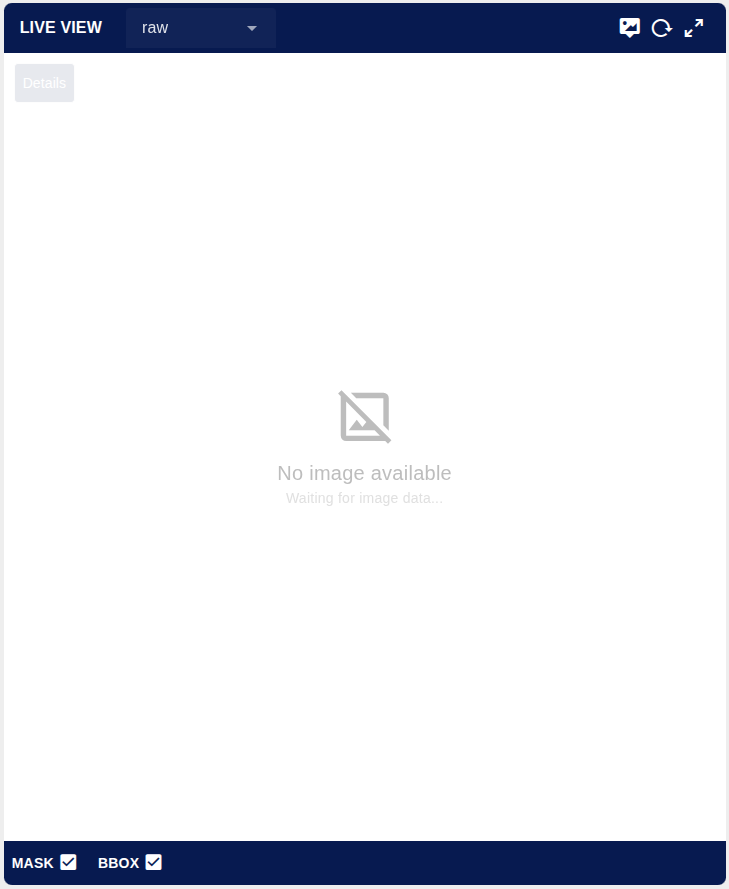
The Canvas Fabric widget shows an inspection image, or an MJPEG video stream, on a canvas where the operator can zoom (mouse wheel or pinch), pan, change the brightness and enlarge the widget to the whole browser window. Over the image it draws the bounding boxes and polygons that come with the message, it can show the mask image instead of the image, and it shows a card with the result (OK, NOK or a tag). Its height follows the browser window (98vh minus 60 px), whatever Size says.
An image can come in several versions (for example the raw image and a processed one): each image type has its own canvas, and a selector in the top bar switches between them.
Palette: category Renders, label canvas fabric. 1 input, 1 output.
What the widget shows
- Top bar (Show topbar):
LIVE VIEWand the date of the image, the image type selector (with more than one type), a brightness button that opens a slider from -1 to 1 (steps of 0.1), a zoom lock, zoom reset and a button that enlarges the widget to the whole window. With the zoom locked, the next images keep the current zoom and position (per image type); the lock is remembered in the browser. - Footbar (Show footbar): the MASK checkbox (off by default) shows the mask image instead of the image; the BBOX and POLYGONS checkboxes show or hide the boxes and the polygons. A ⚙ menu holds two options, both off by default: Labels on hover (a label is shown only while the pointer is over its detection) and Bounding box fill (boxes get a translucent fill).
- Result card (Show result on canvas): at the top left, with the Result card title and
OKorNOKfromisAnomalous, or thetagwhenisAnomalousis absent. It is green for OK and red for NOK; withoutisAnomalous,result: "OK"makes it green, any otherresultred, and noresultdark blue. It is hidden while the widget fills the window.
Brightness, checkbox states, the ⚙ options, the zoom lock and the viewport are kept in the browser's local storage, per widget. They are not sent to the flow.
Configuration
| Property | Description | Default |
|---|---|---|
| Name | Node name shown in the editor. | "" |
| Group | Dashboard group where the widget is displayed. | — (required) |
| Locale | Locale Config for the date in the top bar and the footbar texts. | none |
| Size | Widget width and height (0 = fit to the group). | 0 x 0 |
| Show topbar | Show the top bar. | ticked |
| Show footbar | Show the footbar. | ticked |
| Show mask checkbox | Show the mask checkbox in the footbar. | ticked |
| Show bbox checkbox | Show the bounding box checkbox. | ticked |
| Show polygon checkbox | Show the polygon checkbox. | ticked |
| Mask checkbox text, Bbox checkbox text, Polygon checkbox text | Labels of the three checkboxes. Empty: the text of the Locale Config, else MASK, BBOX, POLYGONS. | "" |
| Hover label text, Hover label hint, Box fill text, Box fill hint | Texts of the ⚙ menu. Empty: the text of the Locale Config, else the built-in English text. | "" |
| Annotation text size (px) | On-screen size of the detection labels. 0 uses the fontSize of each detection, or 16 when it has none. | 16 |
| Show result on canvas | Show the result card. | ticked |
| Result card title | Title of the result card. Shown only with Show result on canvas ticked. | Details |
| Image types | Number of image types; one Type name field per type, each with a delete button. With none, the widget has one type named image. | 0 |
Input
Images by type: msg.payload.imageShow holds one entry per image type, under the type name.
msg.payload = {
    imageShow: {
        raw: {
            imageData: "data:image/jpeg;base64,/9j/4AAQSkZJRg...",
            imageDataMask: "data:image/png;base64,...",
            bbox: [
                { x_rel: 0.1, y_rel: 0.2, w_rel: 0.3, h_rel: 0.4, tag: "scratch", score: 0.95, color: "red" }
            ]
        },
        processed: { imageData: "data:image/jpeg;base64,..." }
    },
    polygons: [
        { points: [[0.58, 0.59], [0.61, 0.60], [0.60, 0.64]], color: "rgb(116,37,162)", tag: "blister_nok", alpha: 0.5 }
    ],
    isAnomalous: true,
    date: "2024-01-15T10:30:00Z"
};| Property | Meaning |
|---|---|
imageShow.<type>.imageData | The image: a data URL, raw Base64, or a URL (an image on another origin needs CORS headers). |
imageShow.<type>.imageDataMask | Optional mask image, shown instead of the image while MASK is ticked. |
imageShow.<type>.bbox | Optional boxes. x_rel, y_rel, w_rel, h_rel: position and size relative to the image (0 to 1). Optional: tag (label), score (shown after the tag, truncated to two decimals), color, strokeWidth, fontSize. |
polygons | Optional polygons, drawn on every type. points: at least three [x_rel, y_rel] pairs. Optional: color, tag, alpha (fill opacity, 0.5 by default, applied only to an rgb(r,g,b) colour), strokeWidth. |
isAnomalous | true shows NOK, false OK on the result card. |
result | Colour of the result card when isAnomalous is absent. |
tag | Text of the result card when isAnomalous is absent. |
date | Date shown in the top bar. |
One image for every type: instead of imageShow, msg.payload.imageData, imageDataMask and bbox at the top level are used for every type, except types whose name contains unwrap, which take imageDataUnwrap and bboxUnwrap.
Boxes and polygons only: a payload with bbox or polygons (and optionally result, isAnomalous, date, tag) but no image redraws the overlays of the image type shown. A property that is not sent keeps its previous value.
Video: msg.payload.videoShow = { videoData: "<stream URL>", bbox: [...] }, or videoData and bbox at the top level, shows an MJPEG stream (a URL an <img> element can load) instead of an image. Later messages with only bbox or polygons update the overlays over the video. A message with an image stops the video.
Clear: msg.payload = "clear", "reset" or { action: "clear" } clears the canvas shown and forgets the images of every type.
A browser that opens the page later receives the last message the node kept: the last one with an image, a video, boxes or polygons, or the last clear. When that message has only boxes or polygons, the canvas stays empty.
Output
The widget does not send messages in normal use. If the node's captureCanvas property is true (a property the edit dialog does not show), every open browser sends msg.payload = { canvasCapture: "<data URL>" } shortly after drawing an image received live: a WebP of the image (or of the mask, with MASK ticked) at 60 % of its size, unzoomed, with the visible boxes and labels and the polygons.
Usage example
Two image types, raw and processed: set Image types to 2 and the type names to raw and processed. Then, from the inspection flow:
msg.payload = {
    imageShow: {
        raw: { imageData: msg.raw, bbox: msg.detections },
        processed: { imageData: msg.processed }
    },
    isAnomalous: msg.detections.length > 0,
    date: new Date().toISOString()
};
return msg;The widget shows the raw image with its boxes and a red NOK card when there are detections; the top bar selector switches to the processed image.