

Crop Node
Purpose & Use Cases
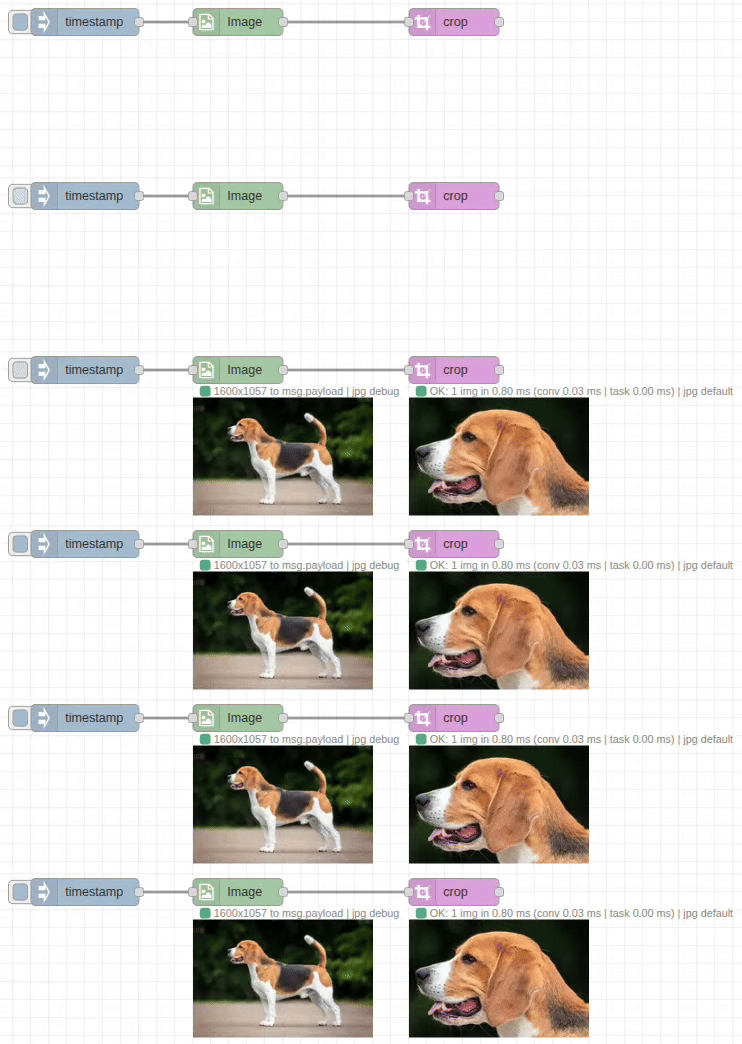
The crop node extracts one rectangular region from an image, or the same region from every image of an array, given in normalized coordinates (0-1) or in pixels.
Real-World Applications:
- Object Extraction: Extract specific objects or regions of interest
- Face Cropping: Extract detected faces from photographs
- Document Processing: Extract text regions or signatures from scanned documents
- Product Photography: Extract product images from larger scenes
- Art Composition: Extract interesting portions of artwork or photography
Input/Output Specification
Inputs
- Single Image: a raw image object, or an encoded JPEG/PNG/WebP/BMP
Buffer(decoded by the addon) - Image Array: an array of images, cropped in parallel with the same region; the output is an array in the same order
- Dynamic Coordinates: each coordinate can be read from
msg,floworglobal
Outputs
One output, written to Output to (msg.payload by default):
- Cropped Image: the region as a raw image object, or an encoded
Buffer(JPEG/PNG/WebP) msg.performance.rpimage.<key>:{ conversion, task, total }in milliseconds
Configuration Options
| Property | Default | Meaning |
|---|---|---|
| Name | empty | Label of the node; also the key of its timings in msg.performance.rpimage |
| Input from | msg.payload | Where the image or array is read (msg, flow or global) |
| Output to | msg.payload | Where the result is written (msg, flow or global) |
| Output Format | Raw (fastest) | Raw (fastest), JPEG, PNG or WebP, with Quality (90), PNG Optimize and the WebP options as in resize |
| Debug / Debug Width | off / 200 | Show processed image under the node in the editor (the first image of an array) |
| Normalised | checked | Coordinates as fractions of the image size (0-1); unchecked, in pixels |
| X Position | 0 | Left edge of the region |
| Y Position | 0 | Top edge of the region |
| Width | 1 | Width of the region |
| Height | 1 | Height of the region |
| Inference | off | Under Advanced options: Transform inference coordinates, with Inf. Input and Inf. Output (both msg.inference) |
The defaults (0, 0, 1, 1, normalised) select the whole image.
Coordinate System
- Normalised (checked): values from 0.0 to 1.0, multiplied by the width or height of each image and rounded to whole pixels
- Pixels (unchecked): absolute pixel values, rounded to whole pixels
Crop Parameters
X Position, Y Position, Width and Height each take a number or a msg, flow or global property. A value that is not a number fails with Value "..." from property "..." is not a valid number.
Bounds: the region is clamped to the image. X and Y are limited to the image, and Width and Height to at least 1 pixel and at most what remains to the right and below. A region that reaches past the right or bottom edge is cut at that edge; a negative X or Y is raised to 0 without shortening the width or height, and a region that starts beyond the image becomes a 1-pixel strip at its edge; an empty or zero width or height gives a region 1 pixel wide or high. No warning is logged.
Inference
With Transform inference coordinates checked, the detections and segmentations read from Inf. Input are mapped into the cropped region (measured on the first input image) and written to Inf. Output. Coordinates are clipped to the crop; a detection whose box overlaps the crop by less than 10 % of its area is dropped. Segmentations are not filtered by overlap: their polygon points are clipped to the crop edge, and only a polygon with fewer than 3 points is removed. Bitmap masks are cropped too.
Status and Errors
- Success: green dot
OK: <n> img in <t> ms (conv <c> ms | task <k> ms), plus the preview format with Debug on - Failure:
msg.erroris set, the input is written back to Output to, a warning is logged, the status shows a red ringError: <first 30 characters>and the message is still sent
Performance Notes
- The crop and the encoding run in the native OpenCV addon on the libuv thread pool
- The region is copied once from the input image; the images of an array are cropped concurrently
Real-World Examples
Face Extraction (Normalized)
[Face Detection] → [Change: msg.x, msg.y, msg.w, msg.h] → [Crop: X=msg.x, Y=msg.y, Width=msg.w, Height=msg.h] → [Face Image]Extract a detected face using normalized coordinates from a detector. To extract every box of a detection result at once, use cropBB.
Center Crop
[Image-In] → [Crop: X=0.25, Y=0.25, W=0.5, H=0.5] → [Center Square]Extract the center 50% of any image.
Document Region Extraction (Pixel)
[Scanned Document] → [Crop: X=100, Y=150, W=800, H=600] → [Text Region]Extract specific document regions using pixel coordinates.
Batch Product Extraction
[Product Photos] → [Array-Out] → [Crop: Normalized] → [Product Cutouts]Extract the same region from every photo of an array. Array-Out is part of @rosepetal/node-red-contrib-utils.
Dynamic ROI Extraction
[Analysis] → [Set ROI Coords] → [Crop: Dynamic] → [Region of Interest]Extract regions based on image analysis results.
Common Issues & Troubleshooting
Coordinate System Confusion
- Issue: The output is a single pixel, or the whole image
- Solution: Check Normalised: with it checked, values above 1 reach past the image and are clamped; with it unchecked, values such as 0.5 round to 0 or 1 pixel
- Normalized: Use 0-1 values for relative positioning
- Pixel: Use absolute coordinates
Out of Bounds Cropping
- Issue: Crop region extends beyond image boundaries
- Result: The region is clamped to the image without a warning, so the output is smaller than requested, or shifted when X or Y is negative
- Prevention: Validate coordinates before processing
Dynamic Coordinate Errors
- Issue:
Value "..." from property "..." is not a valid number.inmsg.error - Solution: Use debug nodes to verify that the
msg,floworglobalproperty exists and holds a number